Positive Film
Slides, transparencies and digital photos — equal treatment
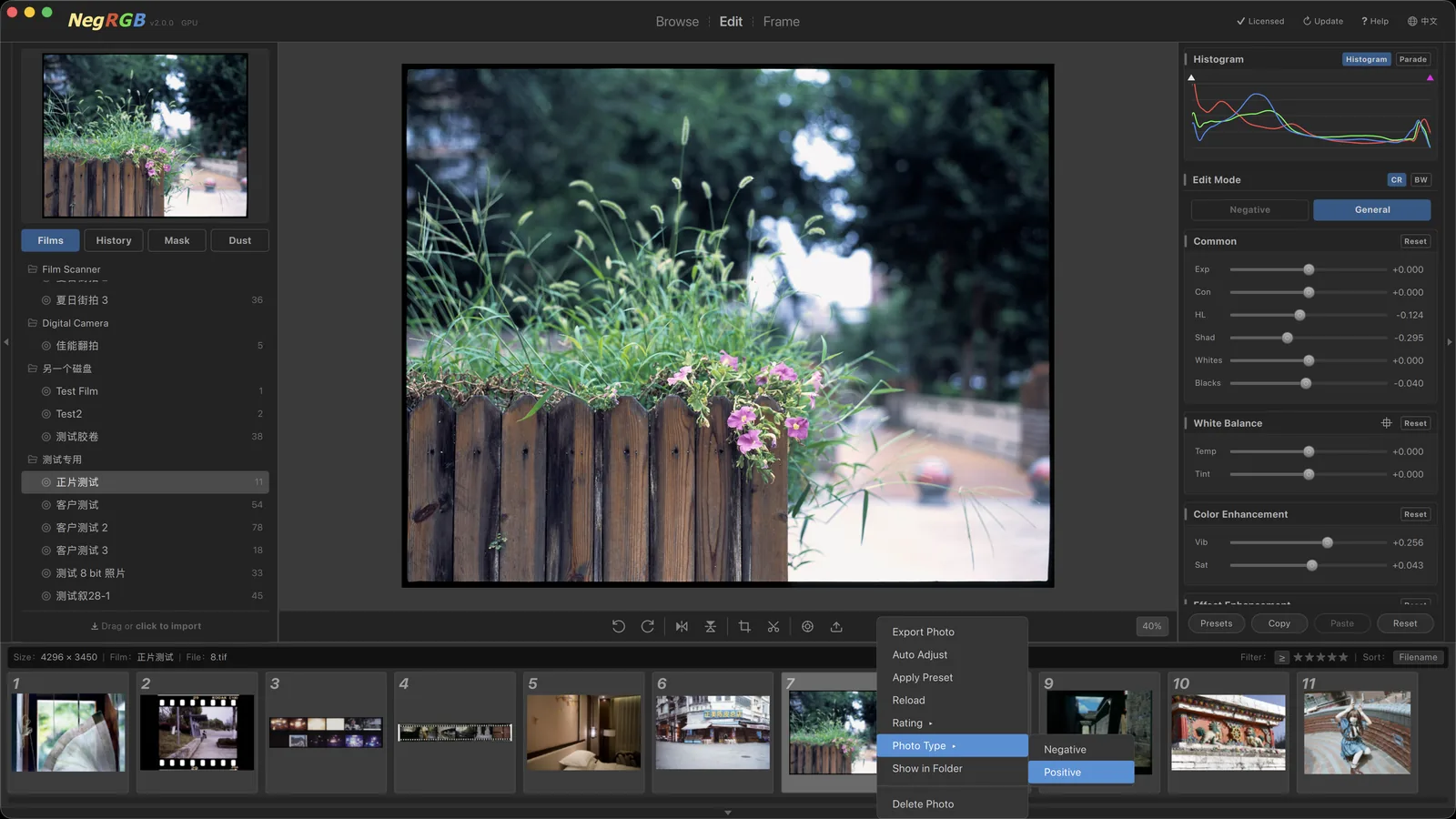
NegRGB is not just for negatives. Slide (reversal) film scans and digital camera RAW/JPEG photos import directly into the app — mark them positive and the density pipeline is skipped in favor of direct general adjustments in the wide ProPhotoRGB gamut, managed, edited and exported alongside negatives in the same repository.
Highlights
- —Import slide-film scans and digital photos (RAW/JPEG) directly — no detour through other software
- —Mark a whole roll or single photos as positive, with batch switching
- —ProPhotoRGB wide-gamut processing, density pipeline skipped
- —Original-profile color matches the system preview exactly
- —Shares all general adjustments, masks, dust healing and frames with negatives
- —Lens correction auto-matches EXIF lens data for digital photos
Positive mode
Positive mode is for slide (reversal) film scans and digital camera photos: TIFFs exported by your scanner and RAW/JPEG files straight off the memory card all import directly into the repository, with no conversion in other software needed. Once marked positive, NegRGB skips the negative-to-positive density transform and goes straight to general adjustments in the ProPhotoRGB gamut — white balance, curves, color grading and sharpening all work as usual, and browsing, rating, masks, dust healing and framed output treat both types alike.
One repository, mixed management
Positives and negatives coexist in the same film repository: set the type per roll or per photo, and batch switching rebuilds caches automatically. A freshly scanned roll of slides can be dust-healed, framed and exported to 16-bit TIFF just the same — management, editing and output feel identical.