Channel Composite
Three separations, one full-color image
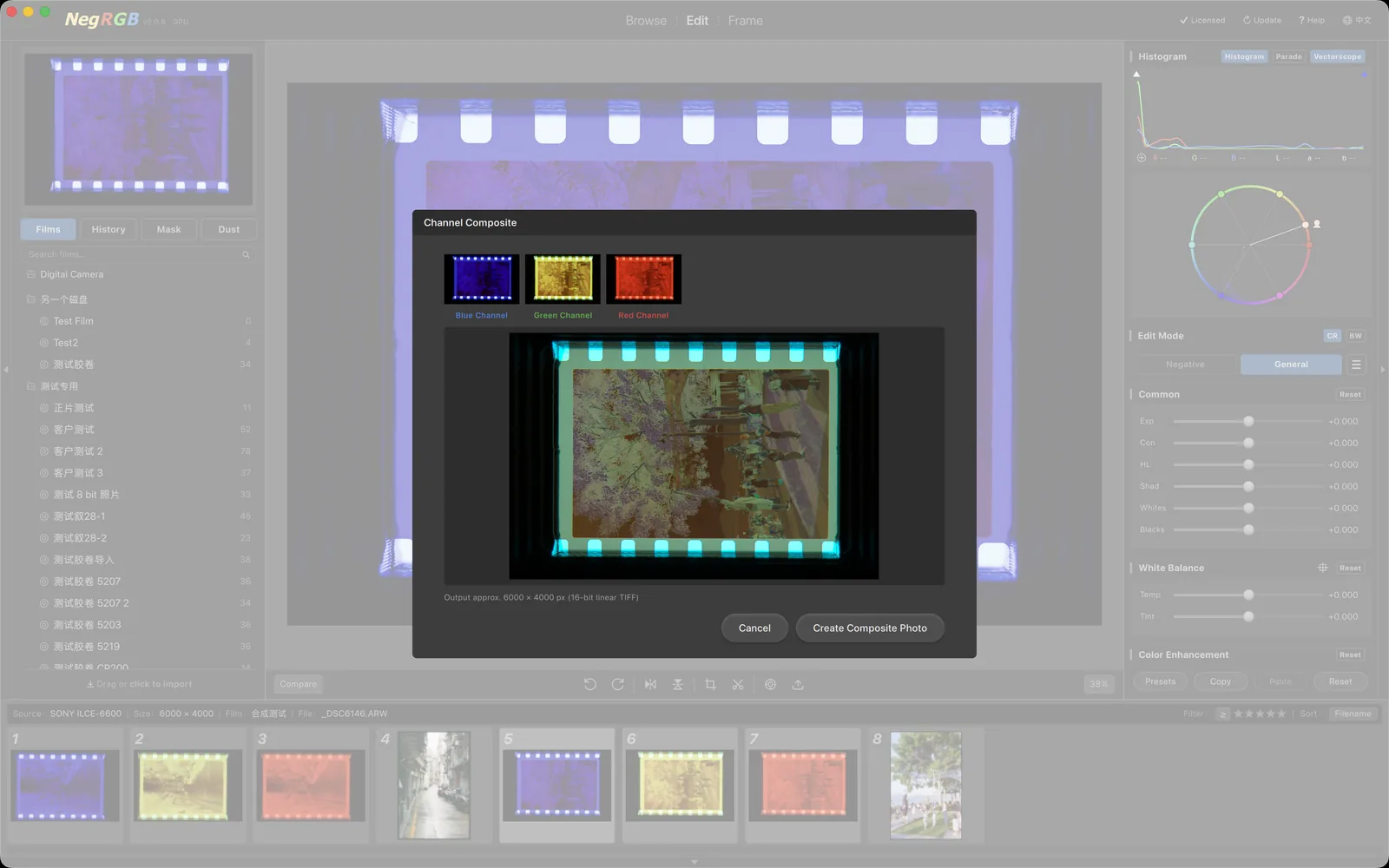
The trichrome process, reborn in digital: combine three photos that each record the red, green and blue spectral component of a scene into one full-color image. Select three photos, right-click "Channel Composite", and NegRGB auto-detects which photo belongs to which channel and composites in linear space — writing a 16-bit linear TIFF back into the current film.
Highlights
- —One-click full-color compositing from three photos — the classic trichrome process
- —R/G/B ownership auto-detected from per-channel signal strength, no manual assignment
- —RAW decoded at gamma 1.0; TIFF/JPEG linearized via ICC or the sRGB curve
- —Pure linear-space compositing; 16-bit linear TIFF output with a linear ICC
- —Composite registered in the current film, right next to the source photos
- —Preview and output render with the same parameters — what you see is what you get
The trichrome process
Before color film existed, photographers recorded the world in red, green and blue separations. The process is still captivating today: three photos each capture one spectral component of the scene, and compositing them yields a full-color image with a distinctive depth — ideal for still lifes, architecture and landscapes, from both film scans and digital captures.
Automatic channel detection
NegRGB measures the per-channel signal strength of every photo, enumerates all possible assignments and keeps the best one — automatically deciding which photo is the red channel, which is green and which is blue. Colored labels above each thumbnail in the dialog show the assignments, and the composite preview appears instantly. Nothing to specify by hand.
Linear space, lossless quality
RAW files are always decoded at gamma 1.0, TIFFs are linearized through their embedded ICC, and 8-bit formats like JPEG through the sRGB curve — compositing happens entirely in linear space. The output is a 16-bit linear TIFF with a linear ICC attached, so re-importing returns identical values. The composite inherits the first photo's processing parameters, and white balance, curves, masks and every other tool work as usual.