HDR Support
View, edit and export highlight detail on macOS and Windows
Film highlights often reach beyond the standard SDR white point. NegRGB supports HDR on both macOS and Windows: turn on HDR preview to reveal highlight detail above standard white, with the histogram, waveform and tone curve extended beyond SDR, and HDR photos previewed as HDR in the browse grid and film strip too. When it is time to deliver, export HDR files so the highlight range travels with the image.
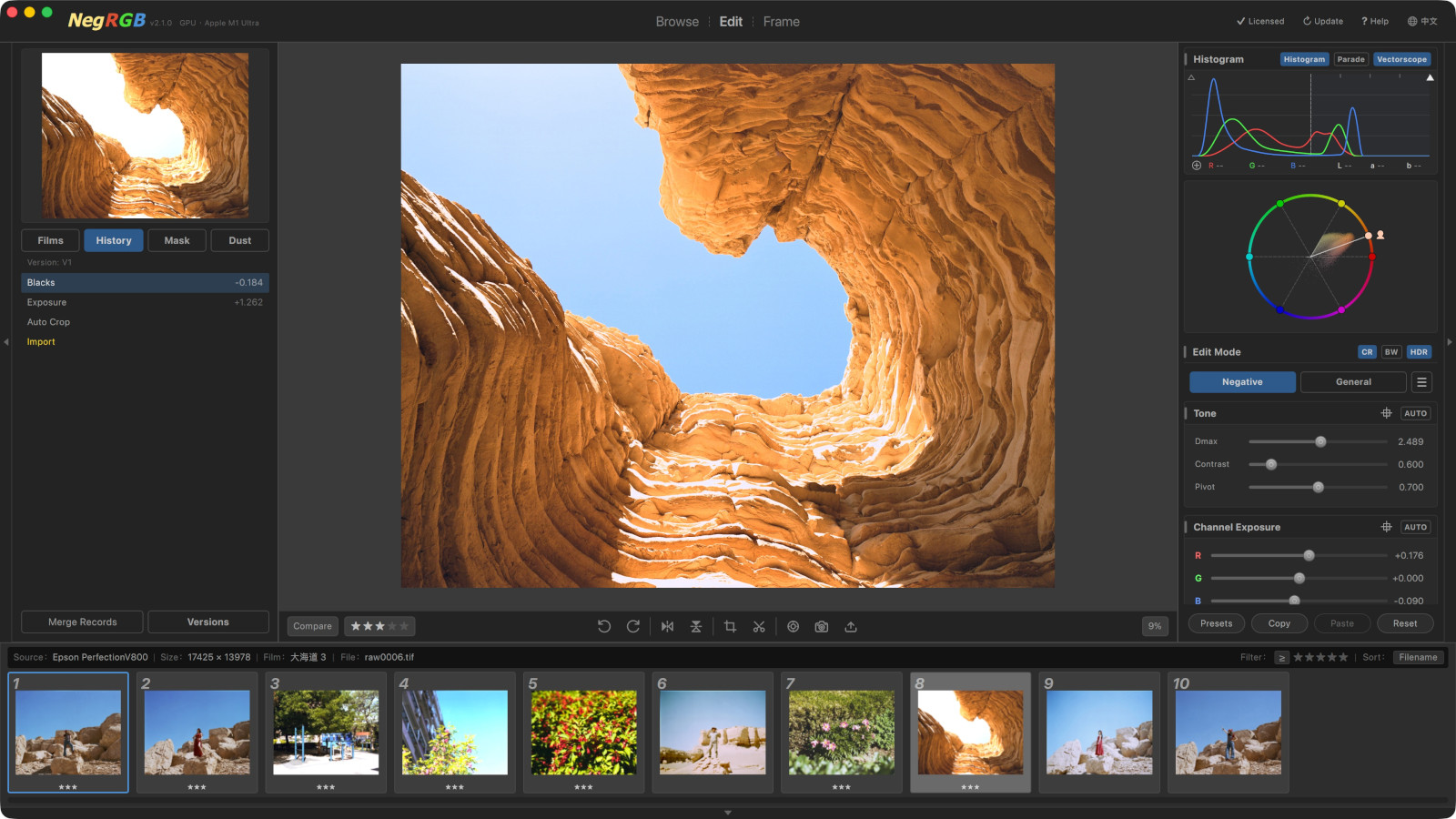
Highlights
- —HDR preview and HDR editing on both macOS and Windows
- —Toggle HDR in Edit mode and highlights are no longer clipped at standard white
- —Histogram, waveform and tone curve extend beyond SDR (+1 EV / +2 EV marks on the curve)
- —HDR photos preview as HDR in the browse grid and film strip
- —The HDR switch is saved per photo, undoable, and travels with parameter copy/paste and presets
- —HDR export: 32-bit float linear TIFF master, plus Ultra HDR JPEG, HEIC HDR and other encodings
Highlight detail above standard white
Film dynamic range often exceeds what a normal SDR display can show, and highlights hold plenty of recoverable detail. With HDR preview on, an HDR-capable display presents brightness above standard white directly — sky, light sources and bright reflections no longer flatten into a patch of white. The histogram, waveform and tone curve extend beyond SDR too (+1 EV / +2 EV marks on the curve), so exposure and curve adjustments can act precisely on highlights.
- —Entry: the HDR button at the top of the right parameter panel in Edit mode, to the right of the Color / B&W tabs
- —Available only when the display supports HDR; otherwise the button is dimmed with the tooltip "The current display does not support HDR"
- —The switch is saved per photo as a base photo parameter; it is undoable and travels with parameter copy/paste and presets
macOS and Windows, equally supported
HDR support is not tied to one platform: macOS (Apple Silicon and Intel) and Windows both support HDR preview and HDR editing, using the same HDR preview and curves with matching behavior and results. Whether it can be enabled depends on whether HDR is on for the system and display; HDR preview also works in the browse grid and film strip. HDR preview affects the screen only and never changes the exported result.
- —HDR preview and highlight editing on both macOS and Windows
- —HDR preview in the browse grid and film strip on both platforms
- —HDR preview affects the screen only and does not change export
From preview to HDR delivery
To deliver HDR, choose an HDR encoding in the export dialog: 32-bit float linear TIFF keeps the full highlight range and negative values for use as an HDR master; Ultra HDR JPEG and HEIC HDR write the highlight range into shareable files and show a normal SDR picture in viewers without HDR support. HDR peak can be set from 203 to 10000 nits (1000 nits by default) with a smooth shoulder for super-bright detail. Available encodings depend on the platform and OS version — the export dialog automatically disables unsupported ones.
- —32-bit float linear TIFF: HDR master that keeps highlights and negative values
- —Ultra HDR JPEG / HEIC HDR: highlight range travels with the file; viewers without HDR show the SDR picture
- —HDR peak is adjustable from 203 to 10000 nits (default 1000 nits)